Limit Access to the Central View Console
You can configure an Active Directory group or Azure AD group that will have access to the Central View console. When a user starts the console, the group membership is checked. When the user is not a member of the configured group, access to the console is not allowed. Additionally, you can configure other RBAC roles.
The following roles can be assigned to users or groups:
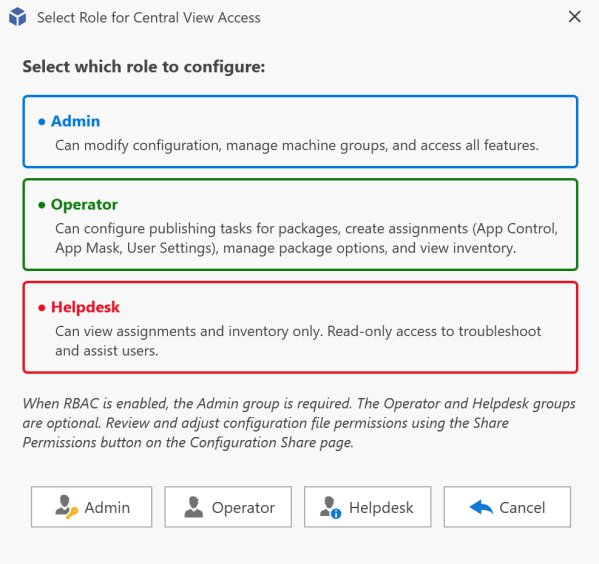
Below is a typical integrated authentication configuration for accessing the configuration and content stores.
Firewall and Communication Ports
By default, AppVentiX does not use any other ports other than file share (SMB) access (port 445), or port 443 for QUIC-enabled shares. See the QUIC Share section for more information about setting up a QUIC share.
There are a few exceptions:
- For AD domain connections (to retrieve user groups): port 389 (LDAP) or 636 (LDAPS)
- For Entra ID connections and Azure Virtual Desktop (AVD) connections: the default Graph API ports (443) are used to reach online Microsoft services
- When importing packages from the Microsoft Store, the Store URL needs to be accessible
In Active Directory domain environments, the AD connection is most of the time already possible because a lot of authentication traffic is directed to domain controllers. AppVentiX will make use of this default AD integration already known in the operating system.